Shine a light — Tracking candy made simple
Yet another form of access control
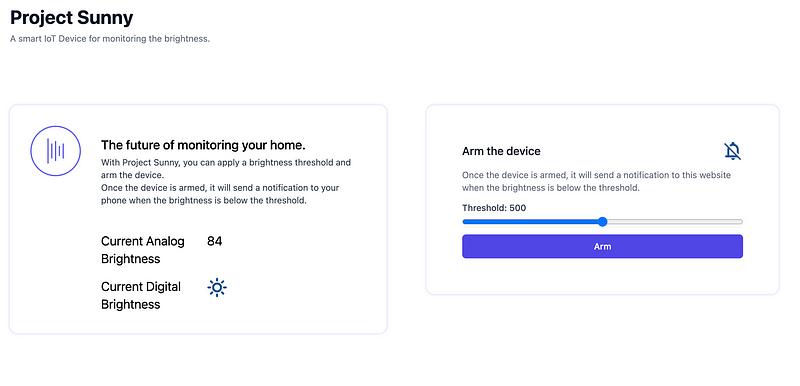
Ever wondered why your candy runs out of stock so quickly? Whether your snacking at the desk, the living room, the kitchen or even the car. Once you place some sweets in your preferred location just in range to grab them— it doesn’t take long and you’ll have to refill.
How long, well that might be a hour, a day or even a week. We all have different snacking habits. What matters — sometimes your private snack department has to be refilled. This might happen at the most inconvenient times of the day.
Any ideas?
In order to tackle this problem i had an idea. How convenient would it be to keep track of your supply and get notified whenever someone accesses your sweets?
After a while I came up with a unique solution. Most sweets are stored in some sort of compartment. This is my main hypothesis throughout this project. So whenever someone accesses the compartment there should be a change in brightness due to shadow and obstruction of a light source.
This led me to the following product idea:
A smart brightness sensor device with a small battery connected to your home network.
The concept should work as follows:
- The user sets up the device, charges the battery and enters his wifi password
- Once setup the device can be placed in the desired location.
- The user can use the autoconfigured brightness threshold or enter a custom one.
- Last but not least, the device can be armed and unarmed.
Is the device armed, whenever the set brightness threshold is surpassed, an alarm event will be created and the user will be notified.
Let’s build a first prototype
In order to prototype this concept i used an ESP8266, connected it to a brightness sensor with some jumper wires and wrote a simple sketch to log continuously log the current brightness value.
Next step was adding a network connection. With a network connection i don’t need to handle everything on the device and can start tracking the brightness values over a larger timeframe. On the server side i have less constrains regarding power consumption, cpu, memory, storage and network usage.¹ ²
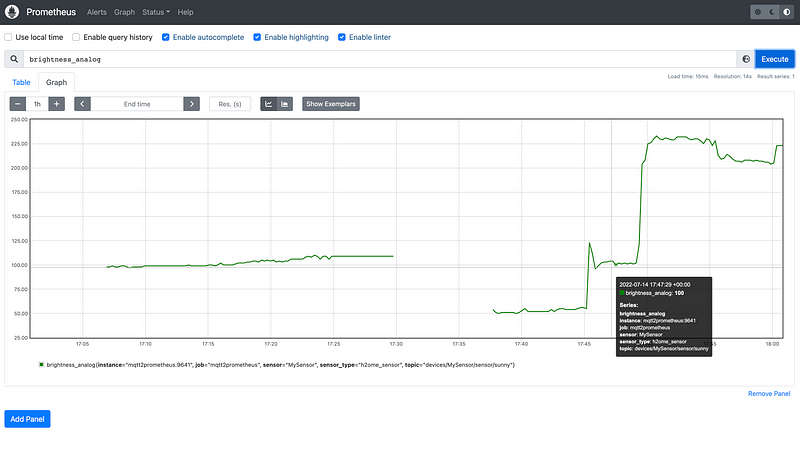
For this prototype i decided to try out Prometheus and Grafana. With those two tools i don’t have to bother about the limited on device resources anymore.
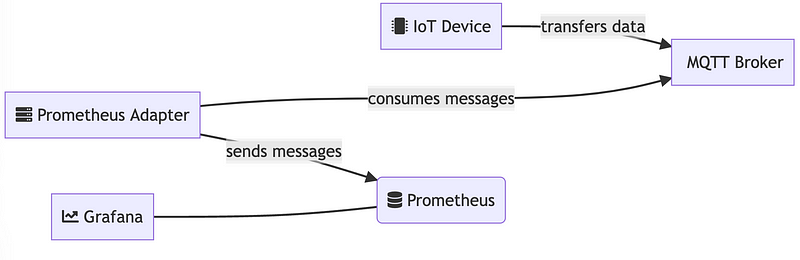
The IoT Device transfers sensor data in a given interval periodically towards a specific topic on a MQTT broker. The topic, which the messages are sent to, has a subscriber. This component is simply there to forward any topic entries towards prometheus. It processes a continues data stream. Prometheus time series database acts in this case like a sink.
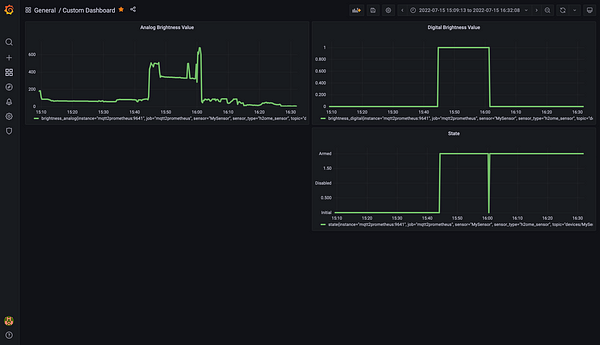
Finally Grafana has been used to visualize the data and build a custom dashboard.
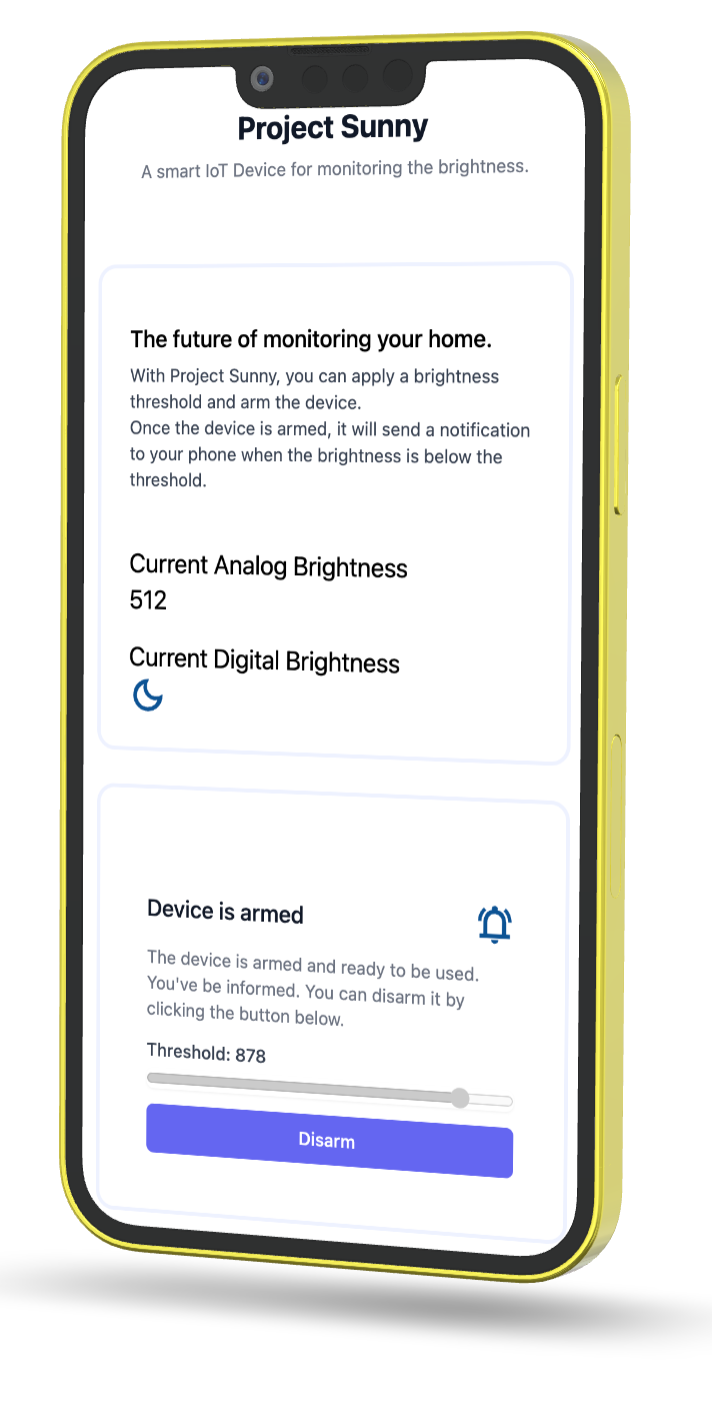
The final step was to add an user interface. For this i settled with svelte and tailwindcss. Below you can see the result if viewed on mobile and the device is armed.
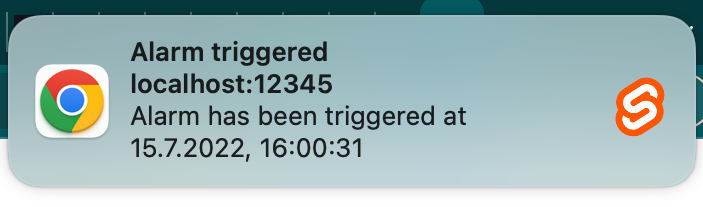
Once the device is armed, i used a Webworker and the Notifications API to notify the user about any brightness changes above his set threshold.
Did everything work out as expected?
So there I am. I’ve set up my IoT device, started up the docker containers and felt ready to go. I placed my device inside a candy compartment, set a realistic threshold and waited. Well, nothing happened.
No one in the brief history of computing has ever written a piece of perfect software. It’s unlikely that you’ll be the first. — Andrew Hunt
What went wrong?
While I was able to collect sensor data with prometheus and create a custom dashboard with grafana, I failed to get any notifications.
But on my machine and localhost everything seemed to work fine at first. 🤔
Turns out I messed up and didn’t provide any vaild ssl certificates for the ESP8266 webserver. The frontend was only served via http. Instead it should be served via https. This post on stackoverflow pretty much sums up my failure: Options for testing service workers via HTTP
What’s next?
Resolving the certificate issue and thinking about a better notification system are upcoming in the backlog. I might look into uniqush or pushjs next.
Another idea floating around in my head is to trigger actions on other devices based on my brightness detection. It would be a simple event driven architecture. For example, when a person enters the room, a short video clip could be recorded. This footage could then be fed into a neural network to predict which candy was taken.
A nice resource i found to get started is Google’s Teachable Machine. But that’s a story for another day.
The possibilities are almost endless. Stay curious.
Thanks for reading this far. 🎉 I hope you learned something new as well.
Do you have any questions? Feel free to comment or contact me.
I’ll appreciate your feedback in order to approve this article further.
References: